|
Information Manager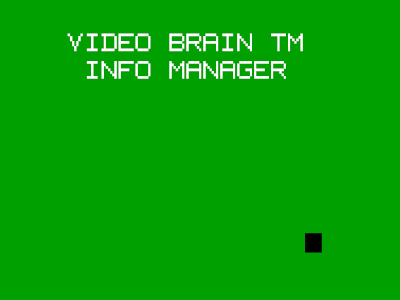
Originally thought to be vaporware, this rare
cartridge has recently turned up in the hands of a
VideoBrain collector. However this cartridge
proved to be full of surprises, when the collector
noticed that the label had peeled up and revealed that
it was a prototype! 
The back of the cartridge also provided some
interesting information. 
Unfortunately without a manual, using Information Manager was almost impossible. All we knew was that it required Expander 1 (which makes sense) and will throw an I/O Error if you try and run the cartridge without it. However thanks to the efforts of AtariAge user Meauxdal who managed to disassemble the code, we now have a rough idea of how the cartridge works.  If Expander 1 is plugged in
Information Manager presents a menu asking you to
either ENTER a program, REVIEW a program, or EDIT
a program. Enter lets the user create a new
database, review shows the information in the
selected database, and edit allows the user to
enter data into the database. Upon choosing
Enter to create a database, Information Manager
will ask for the name of the new database, the
name of the field being input into the database,
the length of the field you're
putting in (the program is rather primitive in this
regard), and the type of data the field will have:
A=Text, I=Integer, M=Money/Monetary (to two decimal
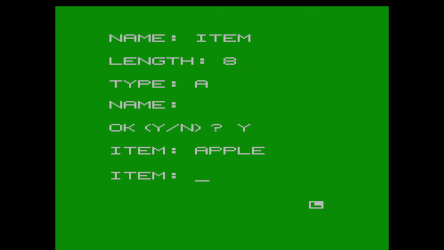
places). After you've entered all the fields you
want to use you can actually start enter your items. 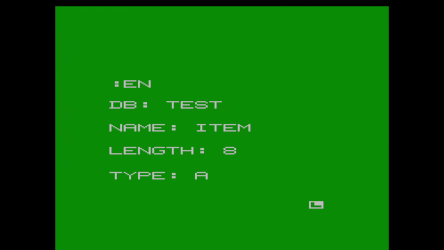
Information Manager was listed in the VideoBrain newsletter as one of four titles that made it to the prototype stage but were never released (Computer Life, Historical Simulation, Musicianship I were the others). Interestingly the title screen identifies itself as Info Manager instead of Information Manager, although this might have been changed for the final release. While this prototype seems completely usable there are some bugs the still need to be worked out such as the Print command causing the program to crash. Had it been finished and released Information Manager would have been another powerful yet incredibly difficult to use productivity carts for the VideoBrain.
|